software

The studio’s tools, together in Hearth

Pixora, Jade and Opal are the apps we build Grimward with: pixel art, cube models, sound and music. Hearth installs, updates and launches them from one small window.

Hearth 1.0.0, free. Windows 10 or 11, 64-bit. No account needed.

Hearth’s home page: the latest projects of the whole suite.Click to enlarge

the hub

Hearth installs everything else

Install Hearth once: it offers you Pixora, Jade and Opal, installs them with no window to confirm and keeps them up to date in the background.

Version 1.0.0
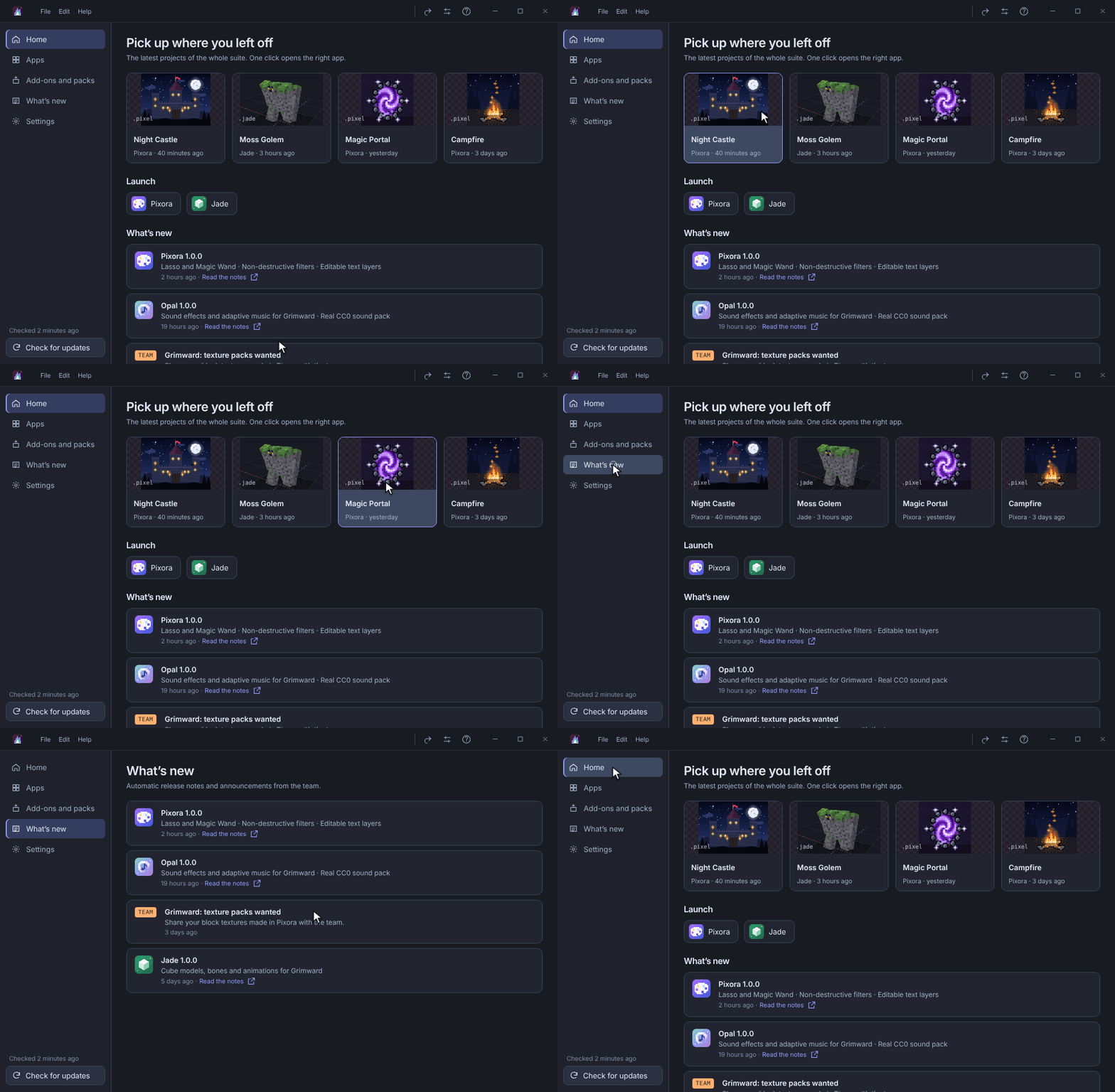
Recent projects of the whole suite: one click opens a project in its app.
Recent projects of the whole suite: one click opens a project in its app.

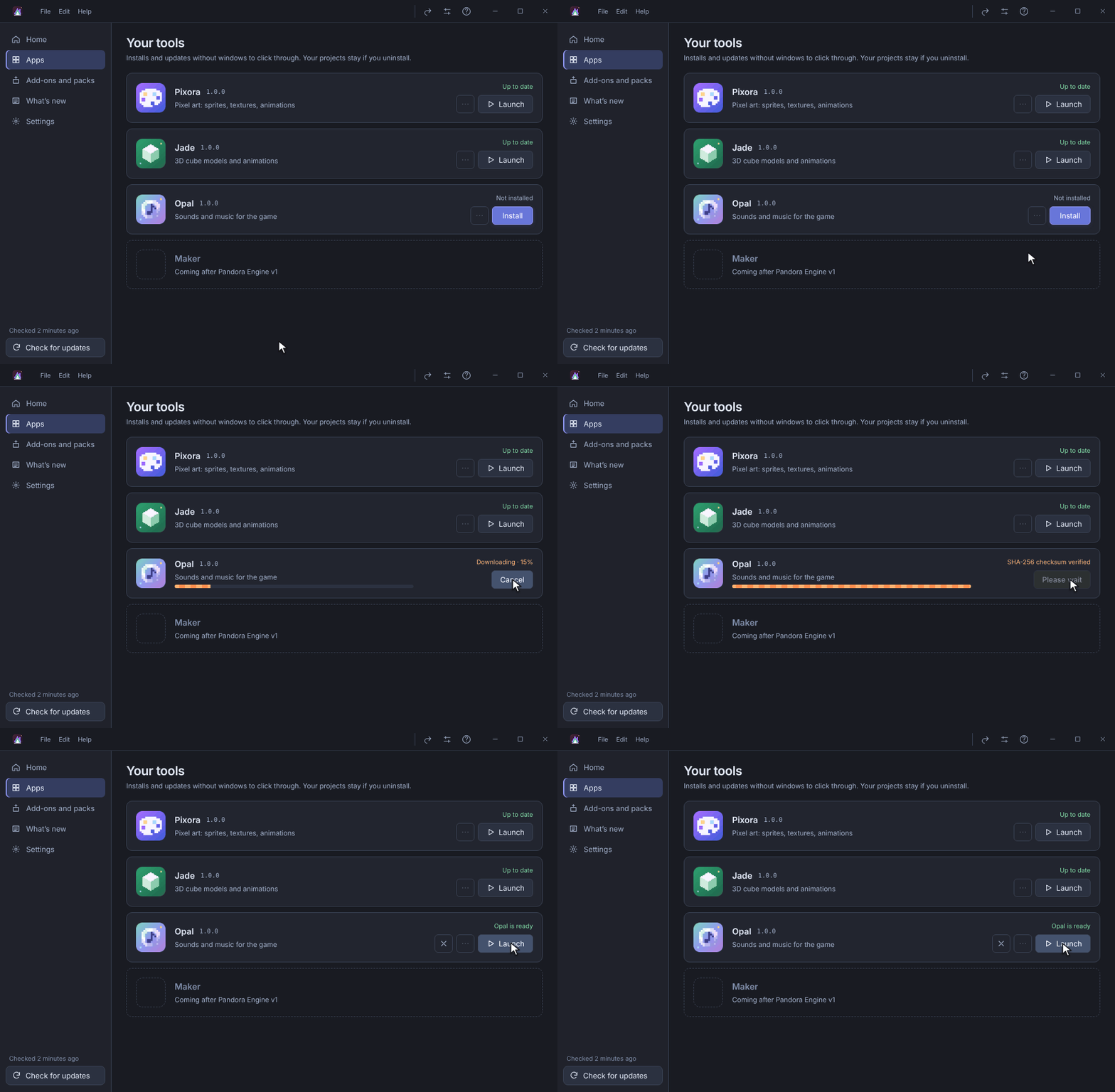
Opal installed from the Apps page, checked and installed silently.
Opal installed from the Apps page, checked and installed silently.

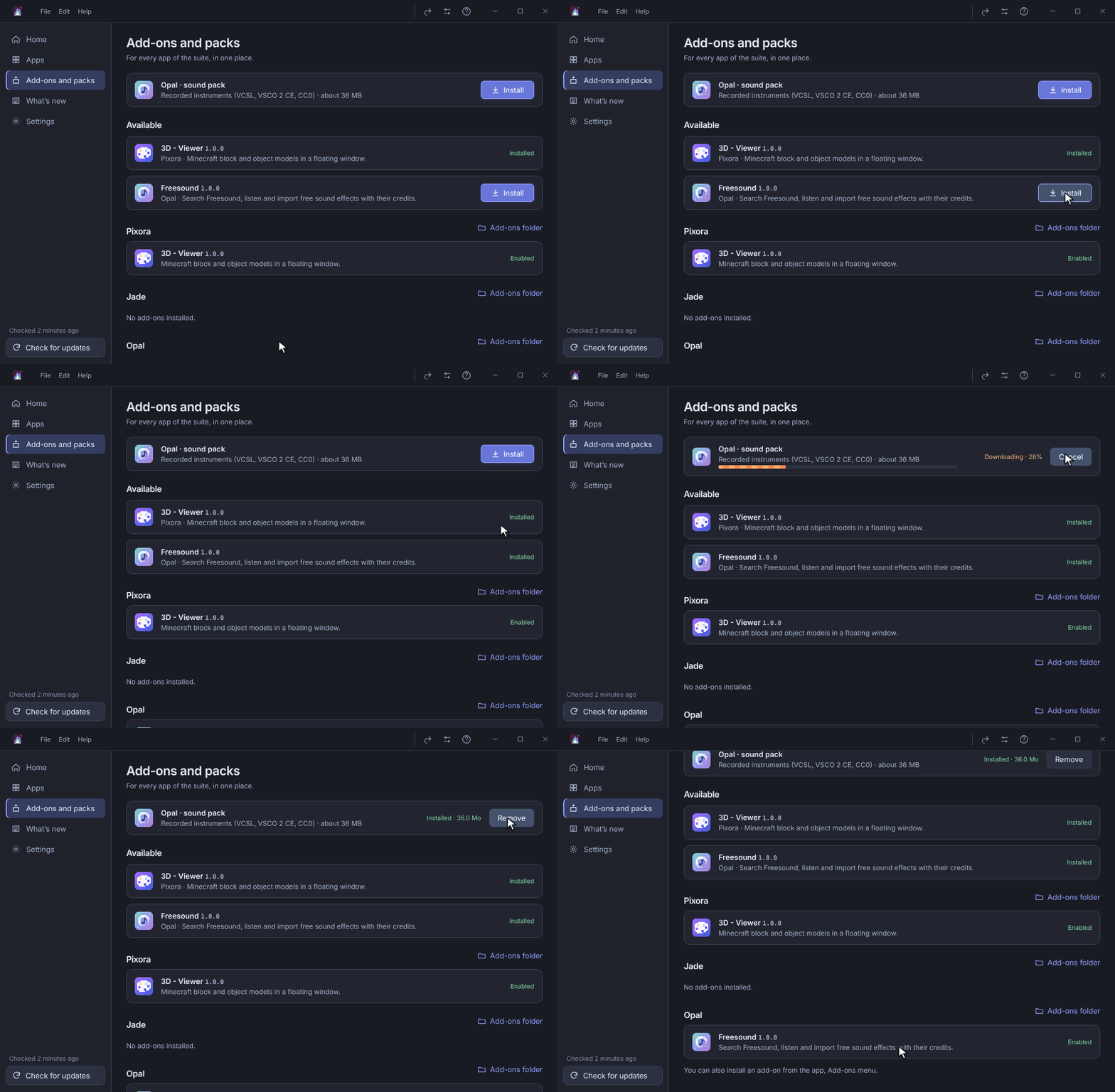
The Freesound add-on and Opal’s sound pack, in one click.
The Freesound add-on and Opal’s sound pack, in one click.

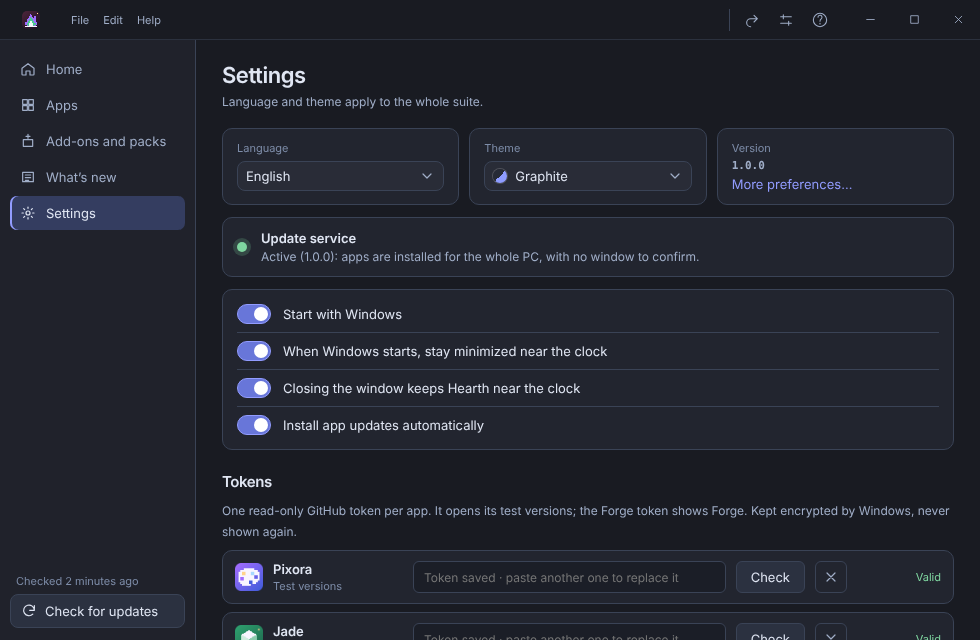
Language and theme for the whole suite, and the update service.

Language and theme for the whole suite, and the update service.

  • Home The latest projects of the whole suite, with thumbnails. One click opens a project in the right app.
  • Apps Install, update, launch or uninstall each app. Uninstalling keeps your projects, add-ons and settings.
  • Add-ons and packs The official add-ons and Opal’s sound pack, in one click.
  • What’s new The release notes of every app and the team’s announcements.
  • Settings Language and theme chosen once for the whole suite, start with Windows, automatic updates.
  • Checked Every file is checked (SHA-256) before it is installed. Hearth only talks to the suite’s GitHub repositories.
No install

Portable version

A single executable to run from any folder. The apps then install for your account only.

Download the portable version

Hearth-Portable.exe

pixel art

Pixora

Sprites, block textures and animations for Grimward, in an editor made for pixel art.

Version 1.0.0
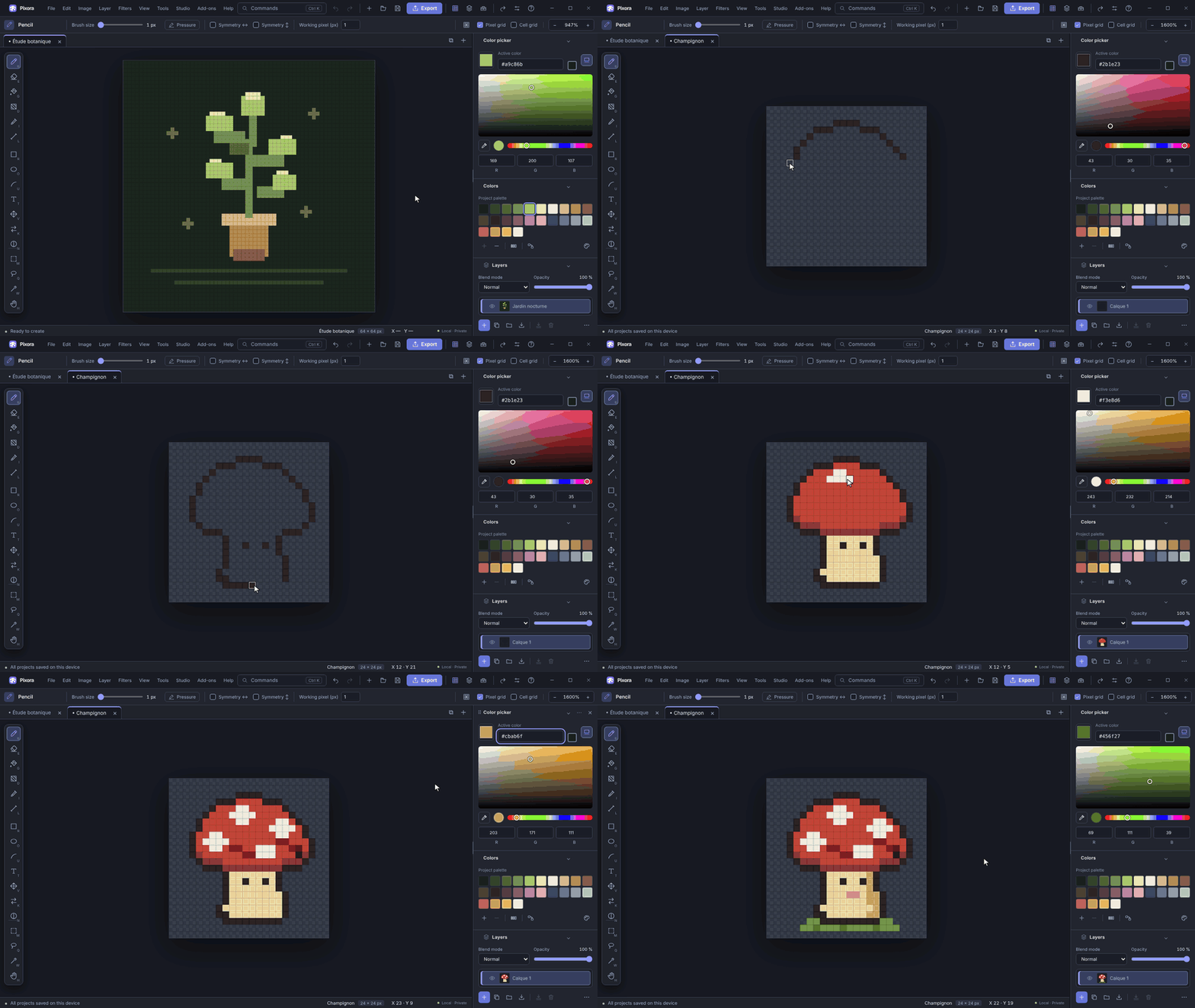
Drawing a mushroom from a new document.
Drawing a mushroom from a new document.

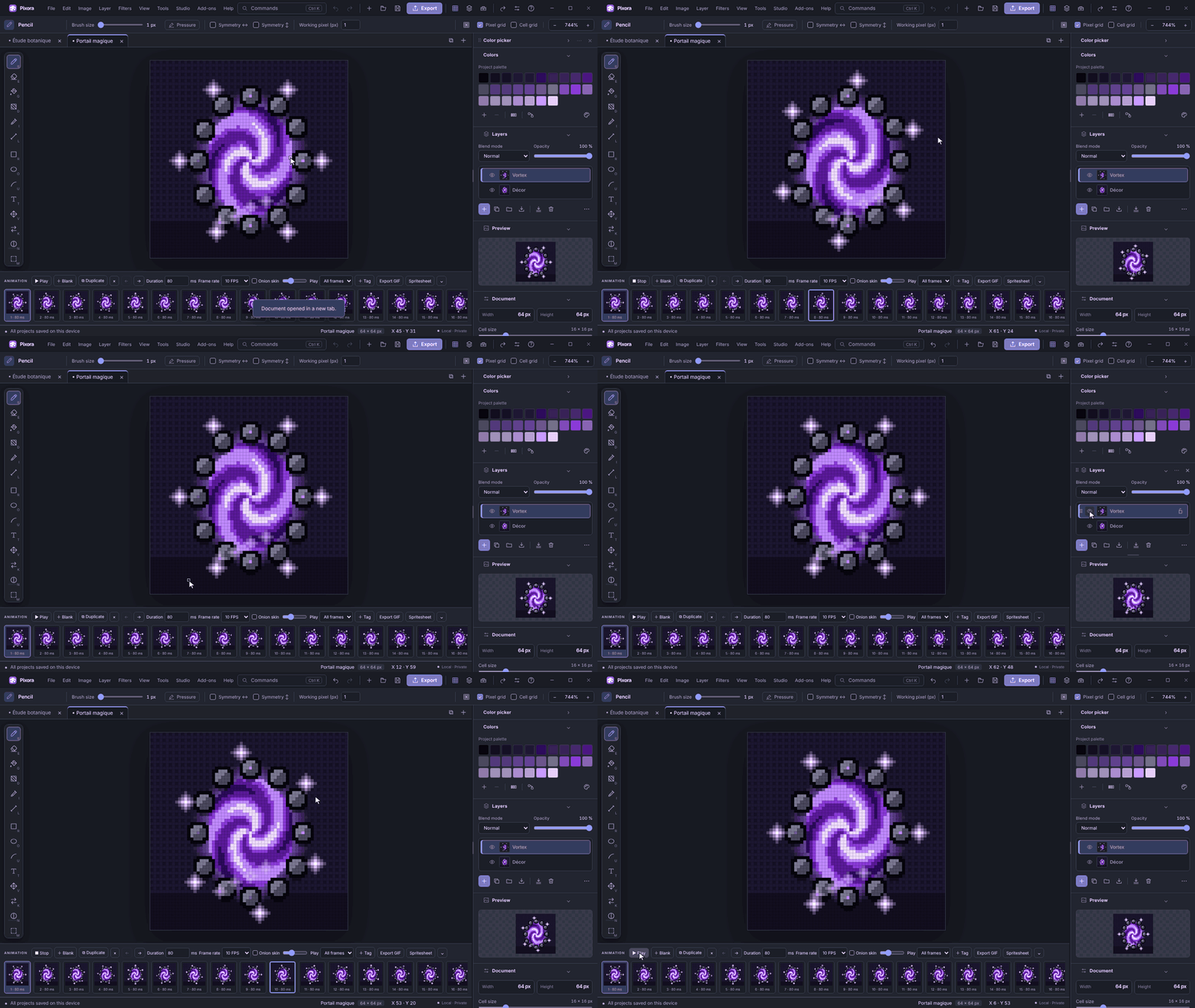
A magic portal animation, 16 frames.
A magic portal animation, 16 frames.

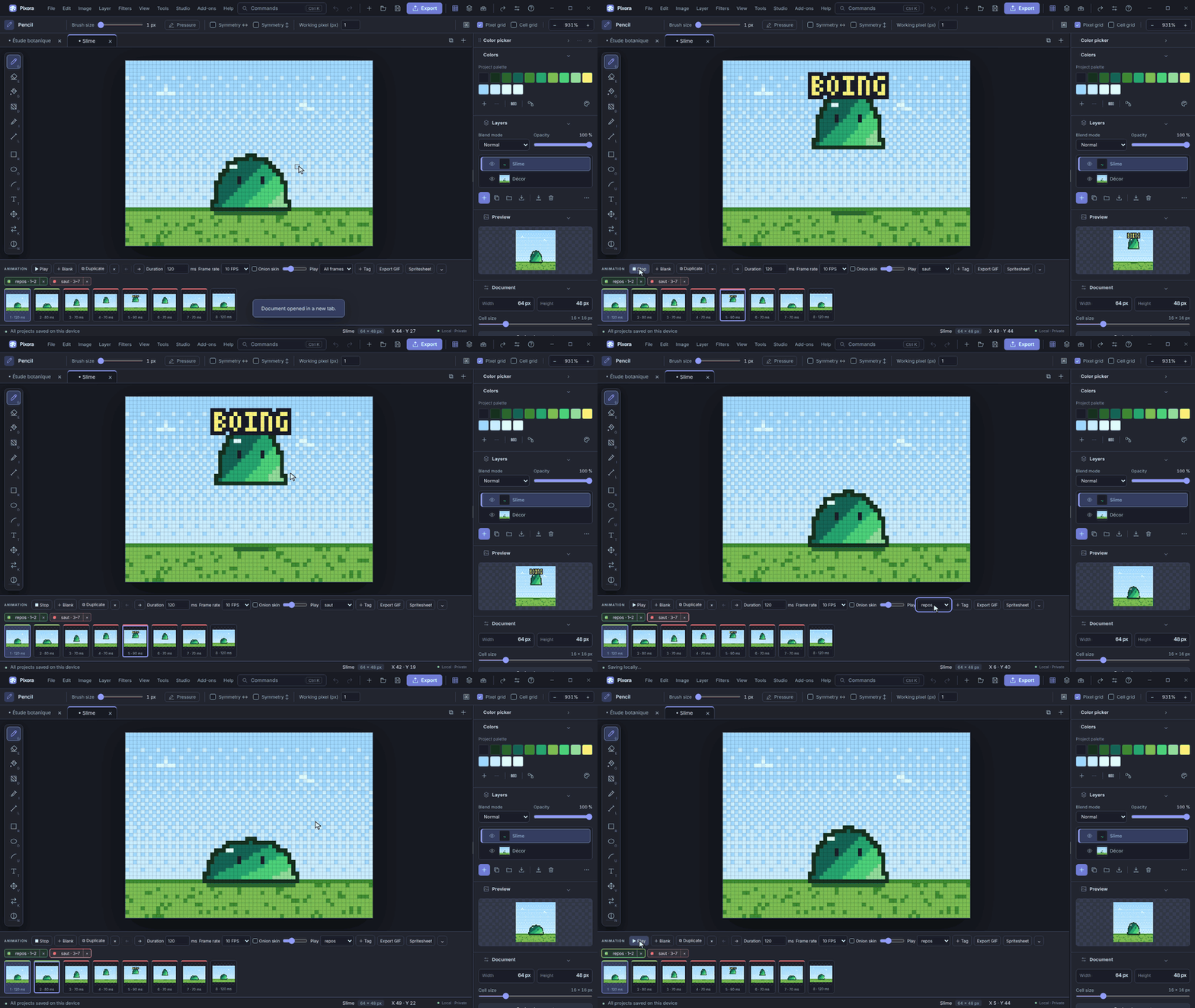
Animation tags played on their own.
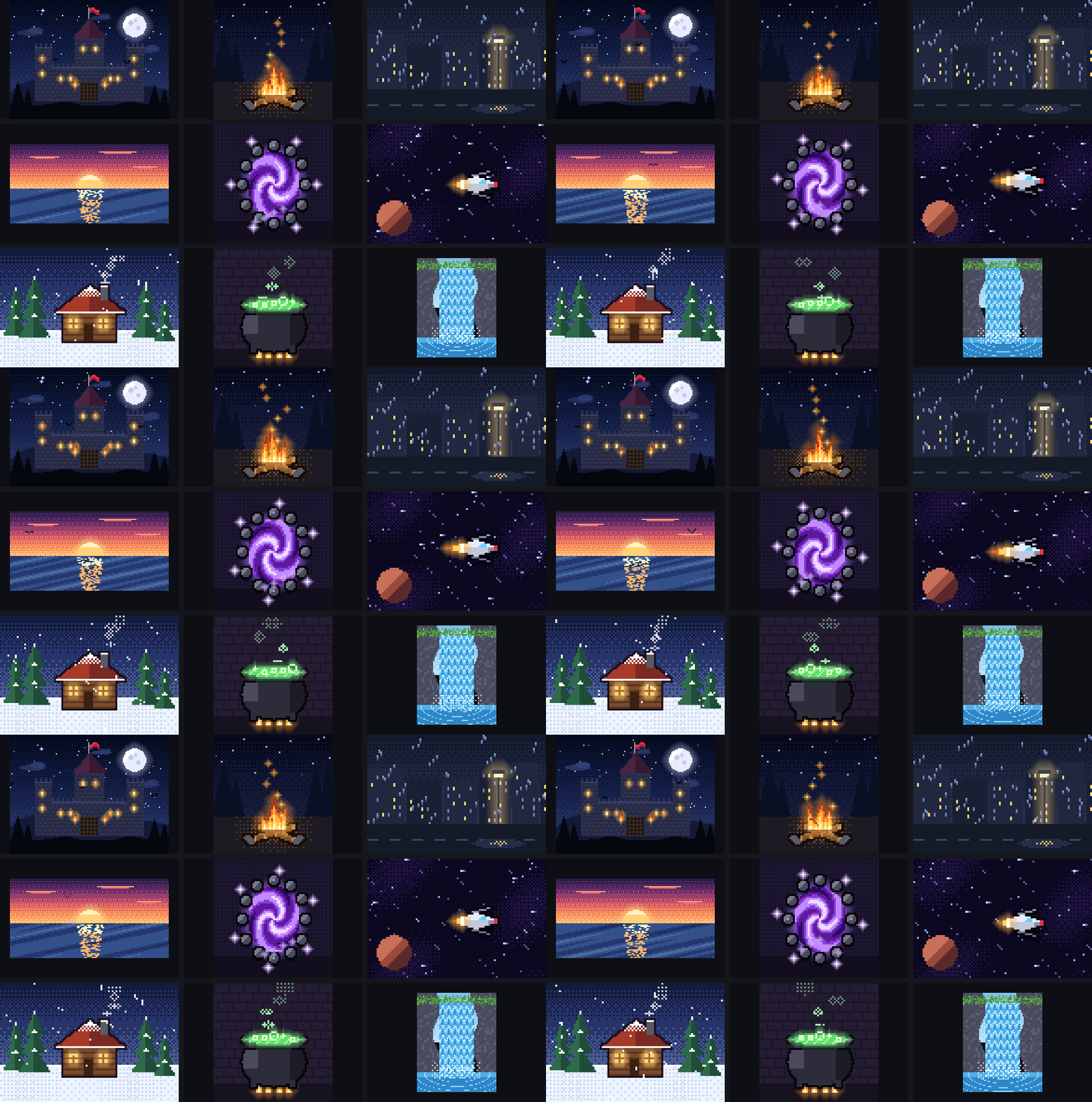
Animation tags played on their own.

  • Drawing pencil, brush, eraser, fill, shapes, Curve, Dithered Gradient, Shade brush, colored outline, pen smoothing and seamless Tile mode.
  • Selections Rectangle, Lasso and Magic Wand, with add, subtract and intersect.
  • Layers non-destructive editable filters, crisp layer effects, editable text layers, lossless transform.
  • Animation frames, tags for named sequences, multi-frame selection, GIF or sprite-strip export per tag.
  • Colors color ramps, indexed colors mode, Lospec palettes.
  • Comfort tabs, session restored at start-up, crash recovery.
Project
.pixel: layers, frames and tags, opened by double-click
Exports
PNG, JPG, GIF, sprite strips, .aseprite
Imports
.ase and .aseprite; .hex, .gpl, .pal and Lospec palettes
Canvas
up to 1024 × 1024 px; templates: texture 16 × 16, sprite 32 × 32, animation, tile set
Add-ons
.pixoraddon, in an isolated space
Install PixoraWith Hearth, Pixora installs and updates on its own.

Portable version Release notes

cube models

Jade

Cube models, rigs and animations for Grimward, at real scale: 16 px = 1 block = 1 m.

Version 1.0.0
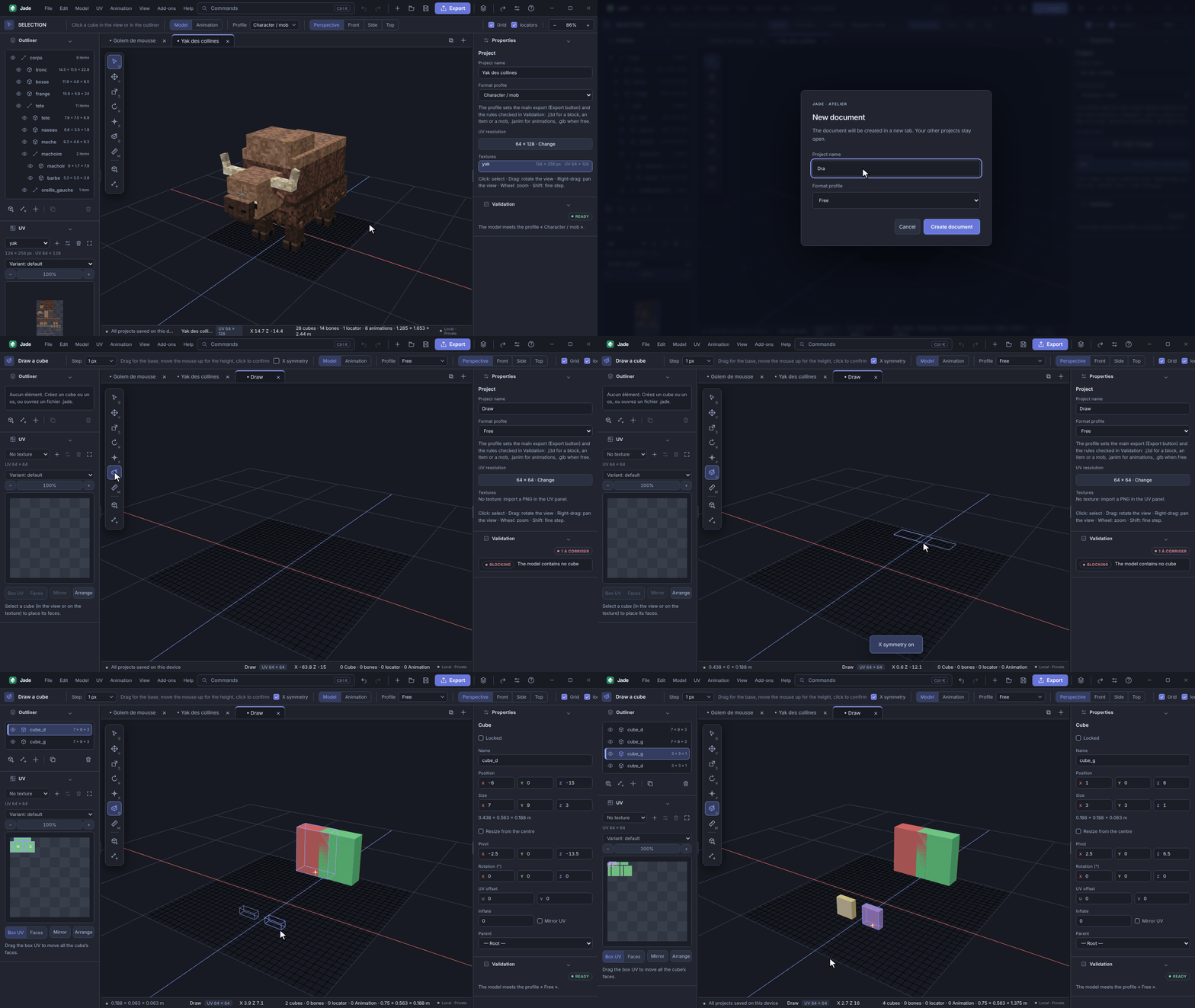
Drawing cubes with live X symmetry.
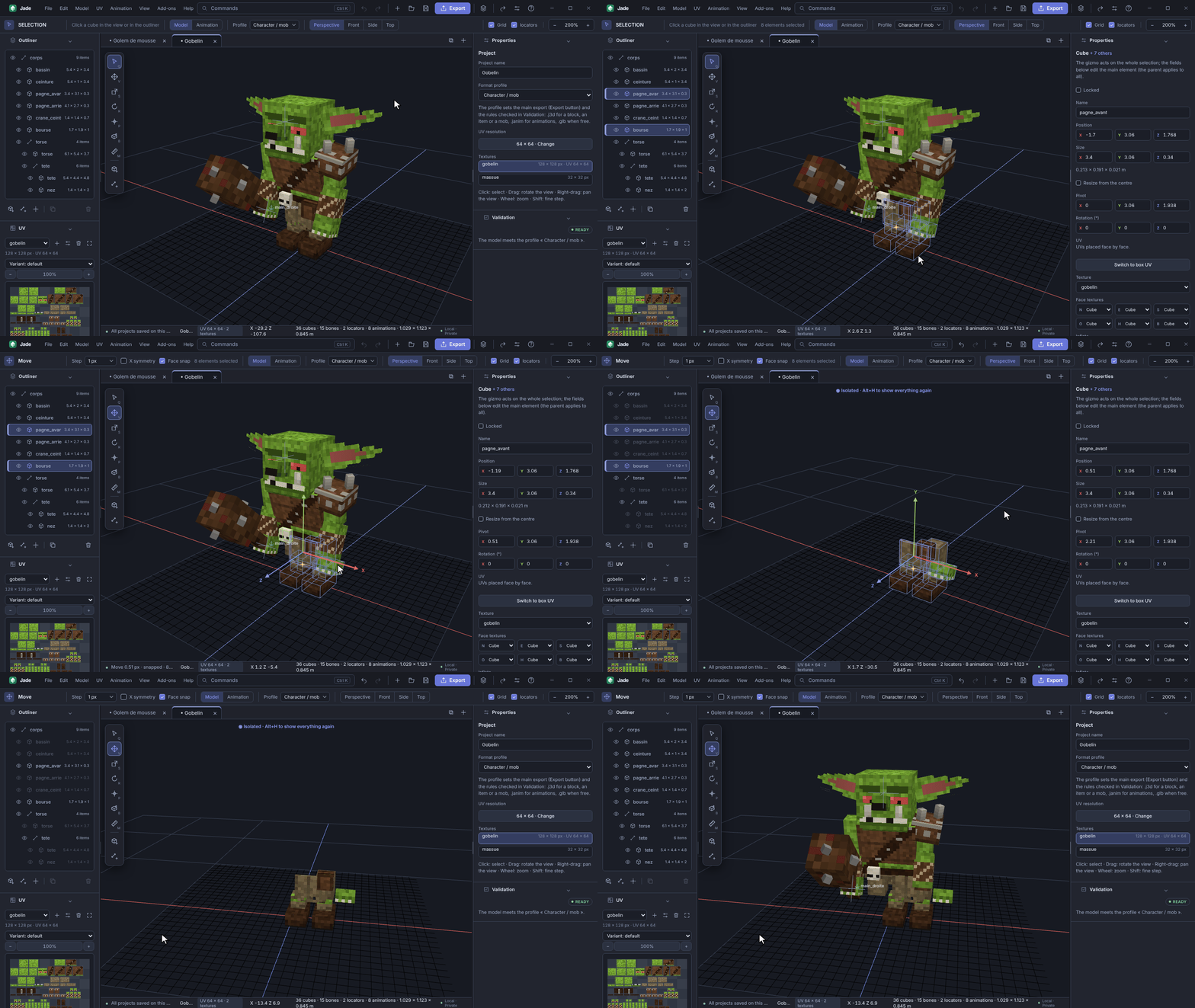
Drawing cubes with live X symmetry.

Several parts selected and edited together.
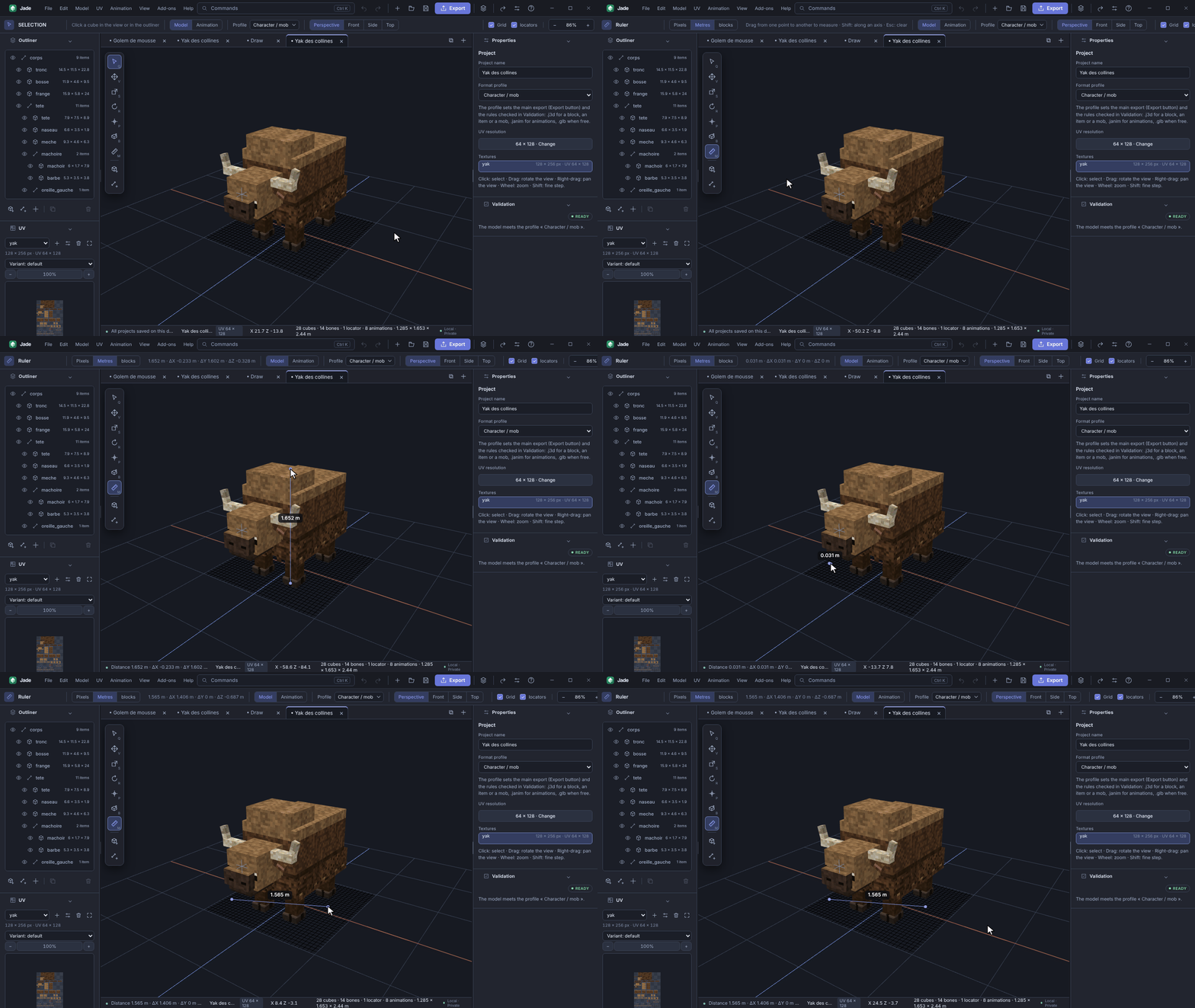
Several parts selected and edited together.

The Ruler, in pixels, metres or blocks.
The Ruler, in pixels, metres or blocks.

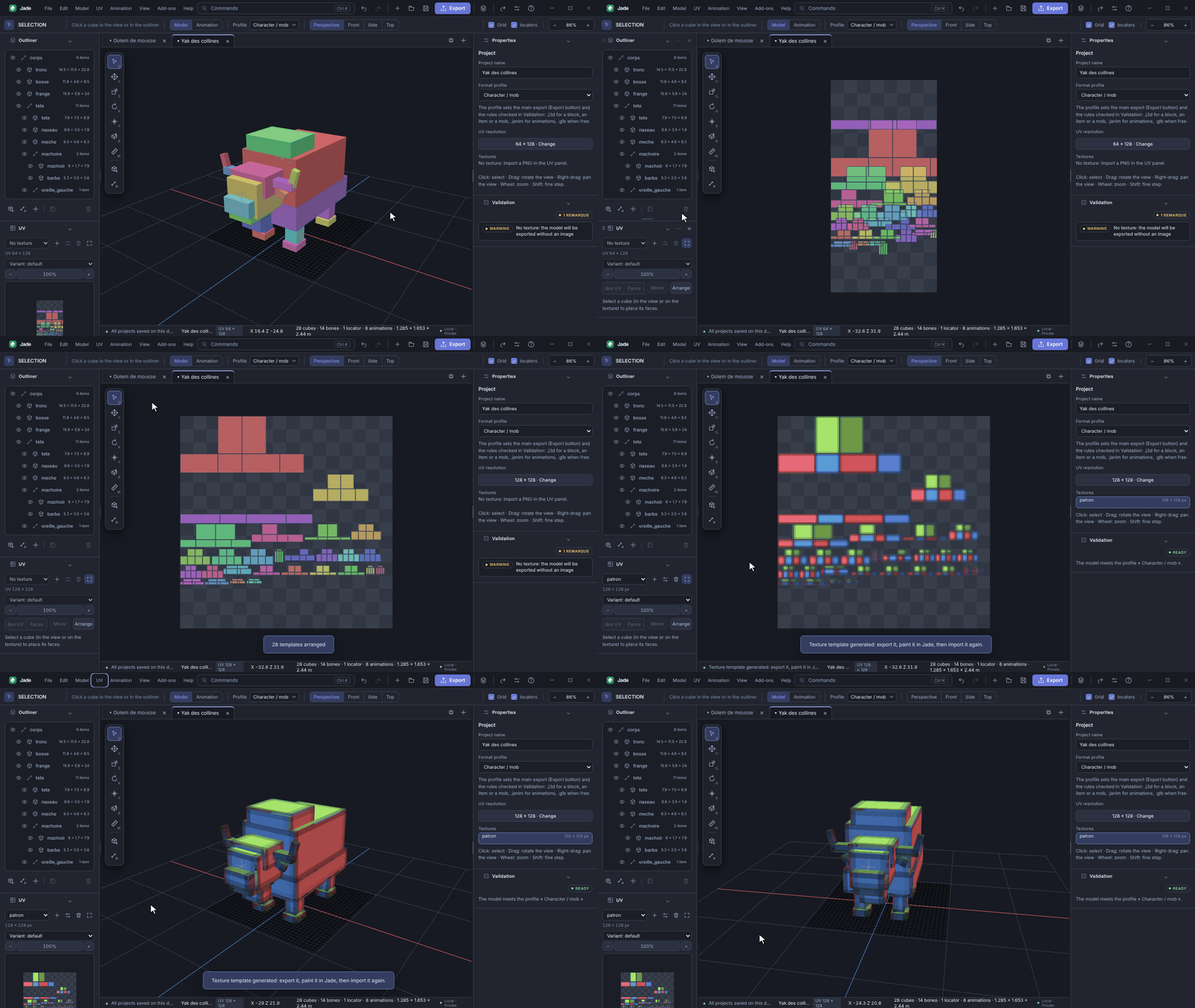
UV editing and the texture template for Pixora.
UV editing and the texture template for Pixora.

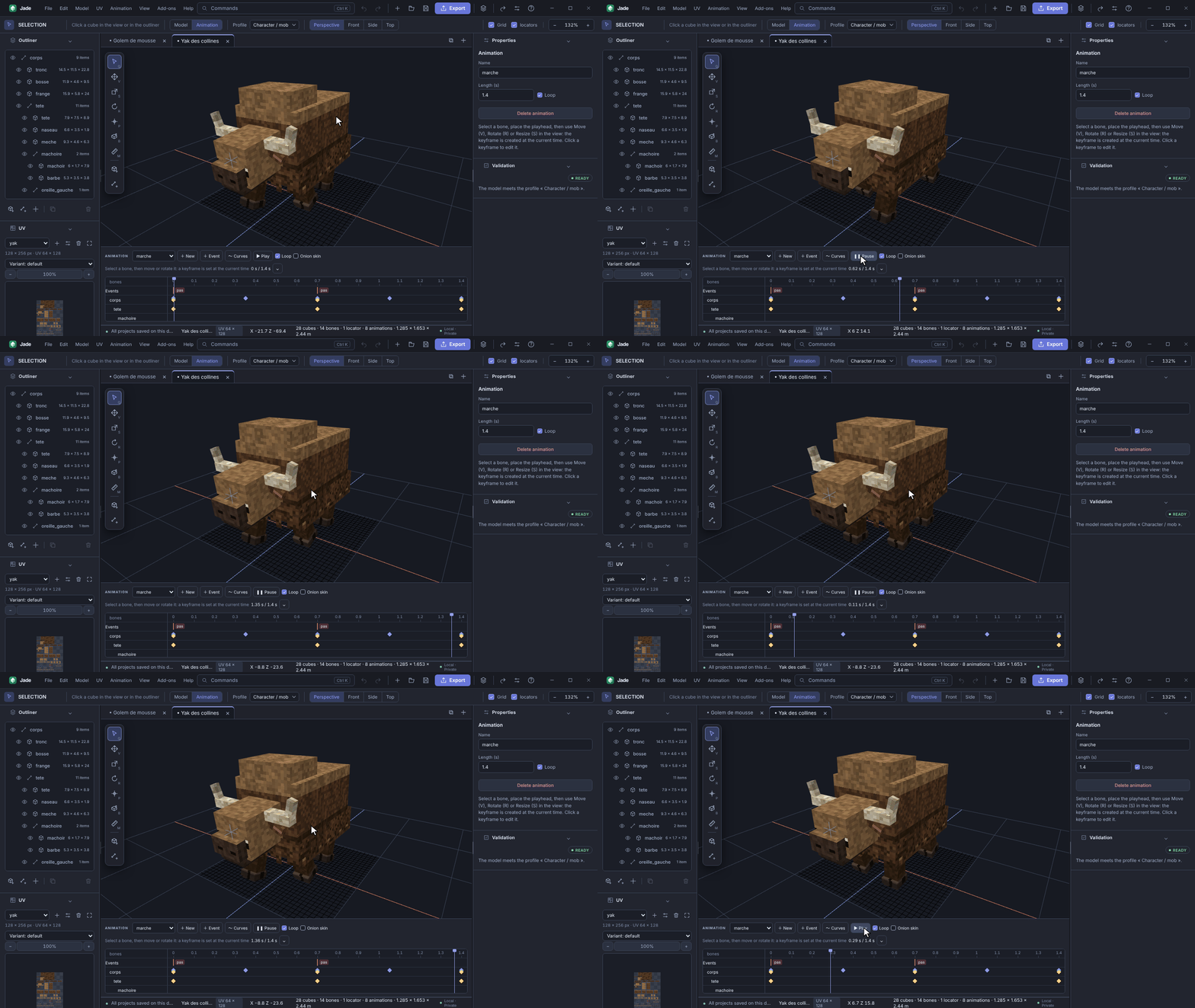
Bone animation with keyframes.
Bone animation with keyframes.

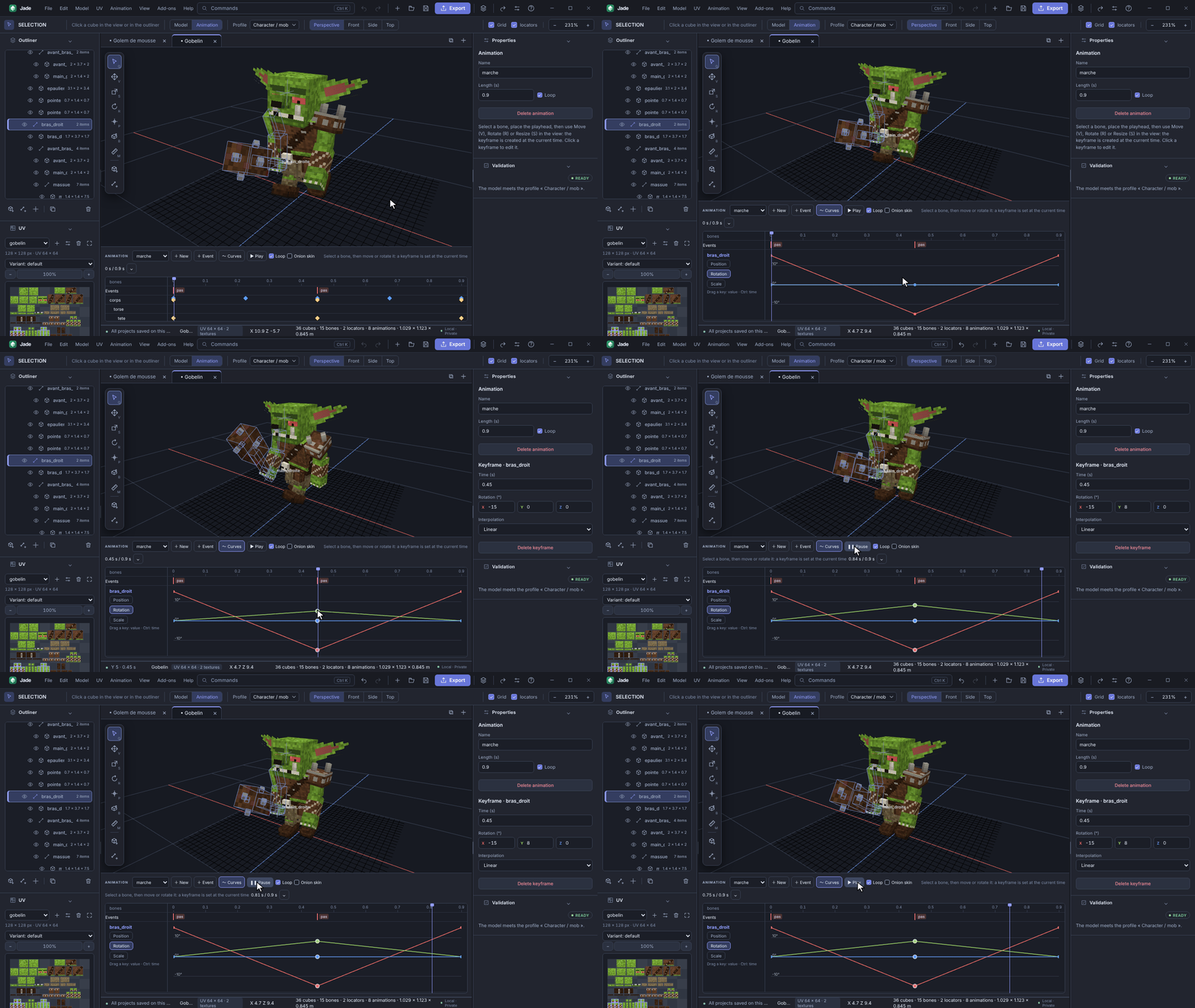
Timeline and curve editor.
Timeline and curve editor.

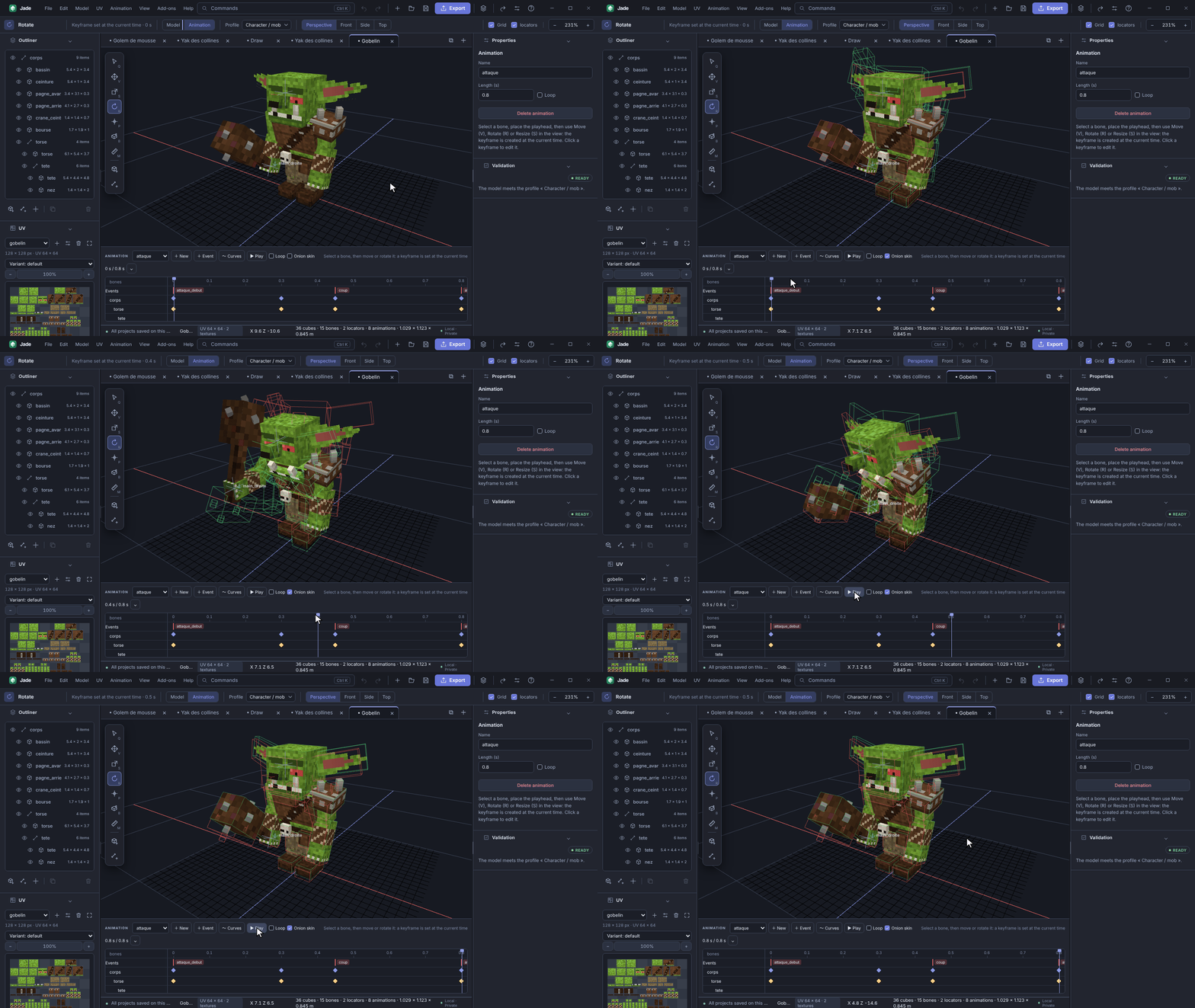
Onion skin and events for the engine.

Onion skin and events for the engine.

  • Modeling cubes, bones and locators; Move, Resize, Rotate and Pivot gizmos; Draw a cube; live X symmetry; Ruler in pixels, metres or blocks.
  • Organizing multi-selection, hide, isolate, lock; face snapping; parts library; reference image.
  • UV box or per-face UV, mirror, automatic packing, zoomable editor; multiple textures and texture variants.
  • Animation keyframes per bone, easing curves, timeline and curve editor, onion skin, named events for the engine.
  • Animation tools copy animations between models, foot planting (IK), look-at, attachment points.
  • Checked exports format profiles (block, item, character, mob) checked before export; five example models.
Project
.jade, sealed, opened by double-click
Engine
.j3d (models) and .janim (animations), sealed: only Jade and the Grimward engine read them
Exchange
.obj, .glb, .json; Blockbench .bbmodel import; .jparts parts
Video
WebM, animated GIF, PNG frames
Textures
painted in Pixora, from the UV editor’s texture template
Install JadeWith Hearth, Jade installs and updates on its own.

Portable version Release notes

sound and music

Opal

Sound effects, ambiences and adaptive music for Grimward.

Version 1.0.0
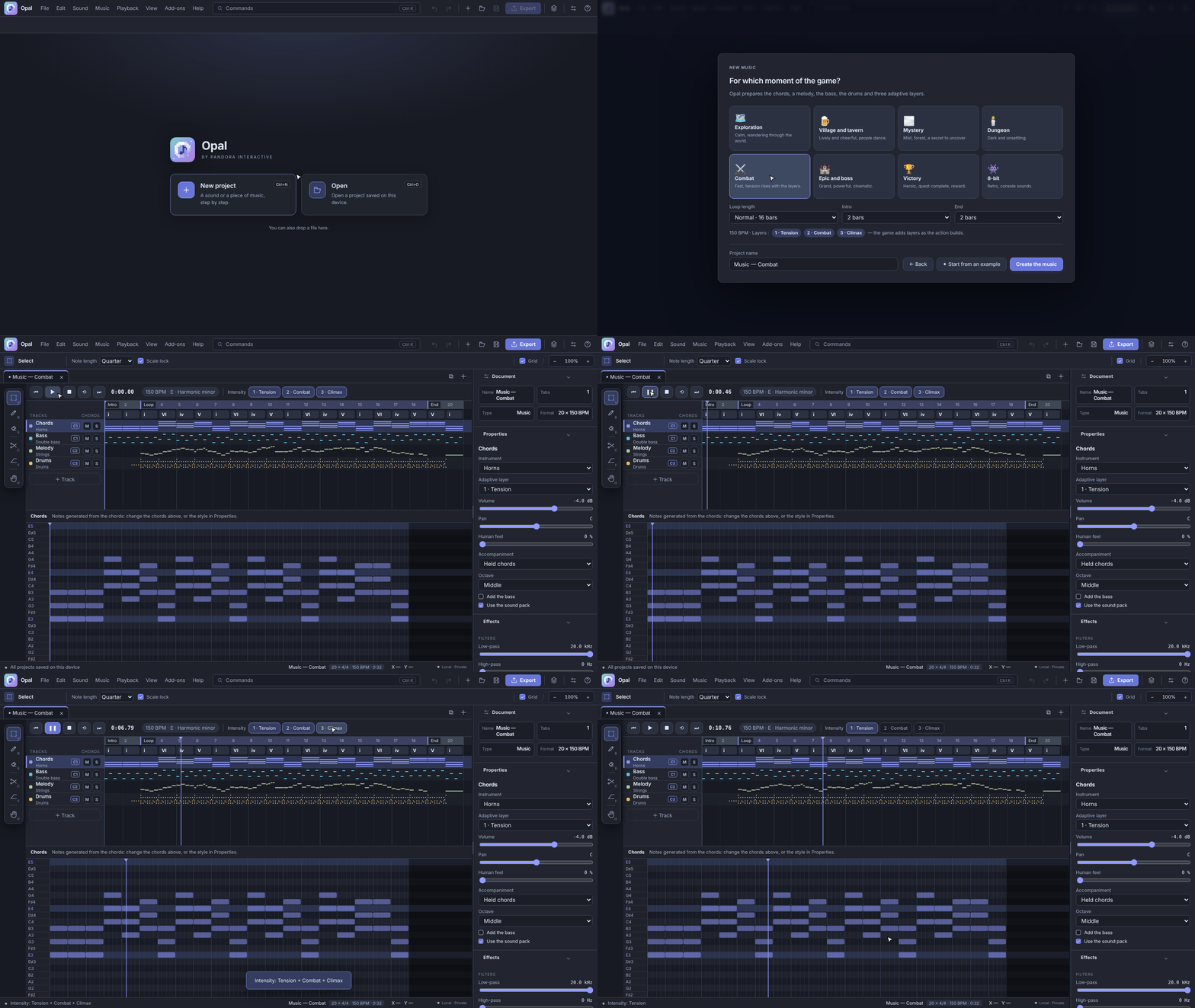
A new piece of music started from a moment of the game.
A new piece of music started from a moment of the game.

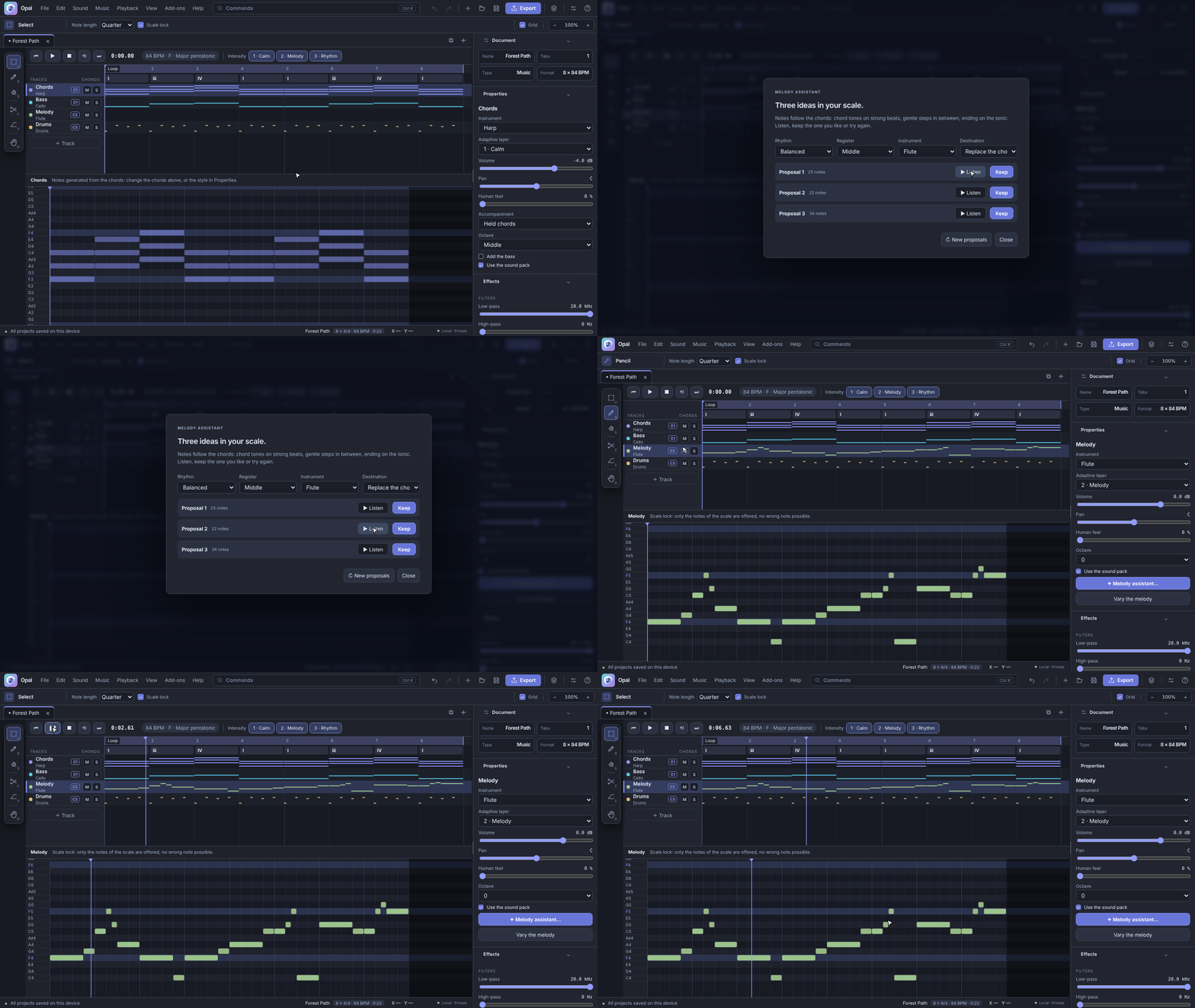
The Melody assistant over the chord row.
The Melody assistant over the chord row.

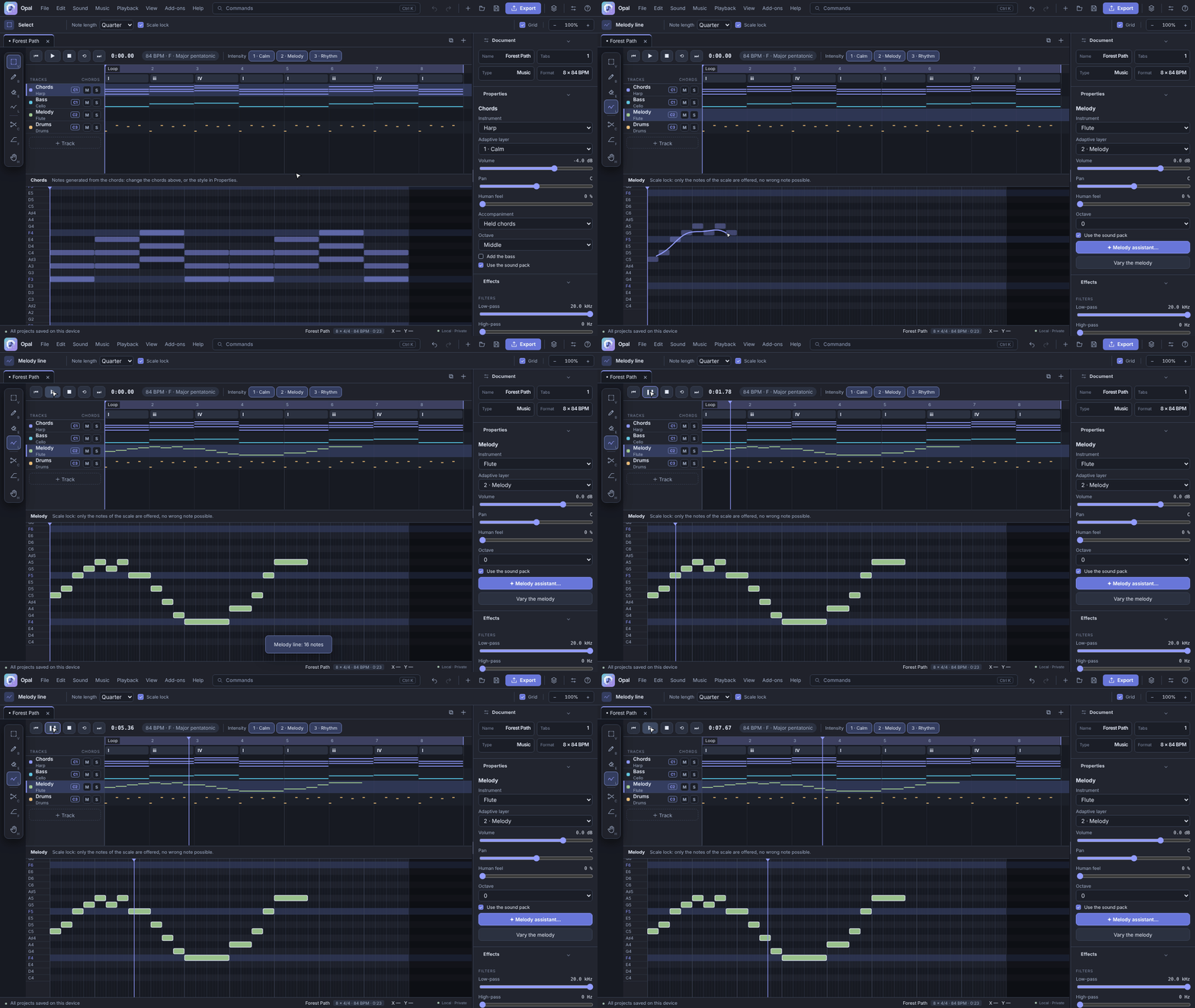
The Melody line tool.
The Melody line tool.

The editing tools.
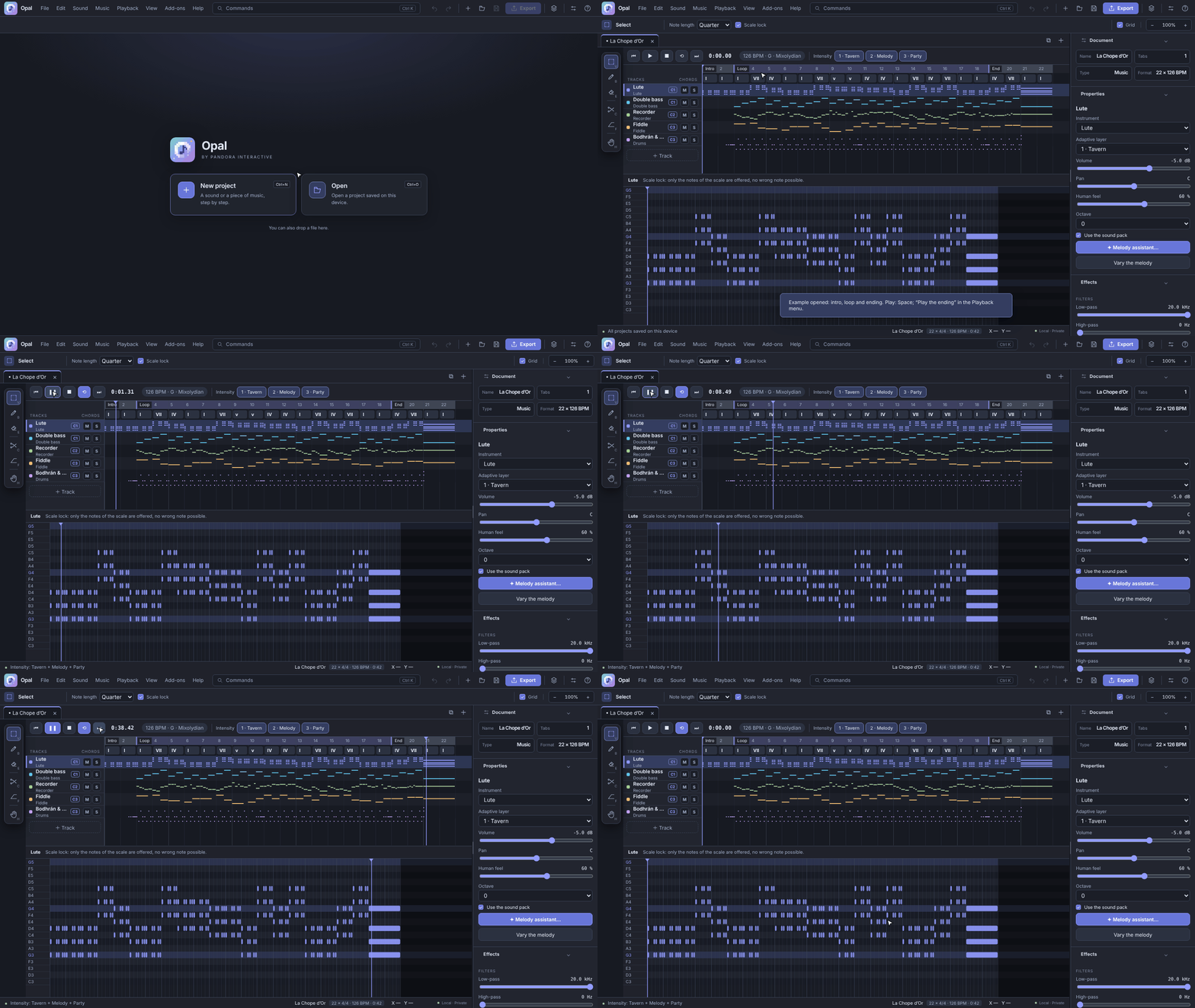
The editing tools.

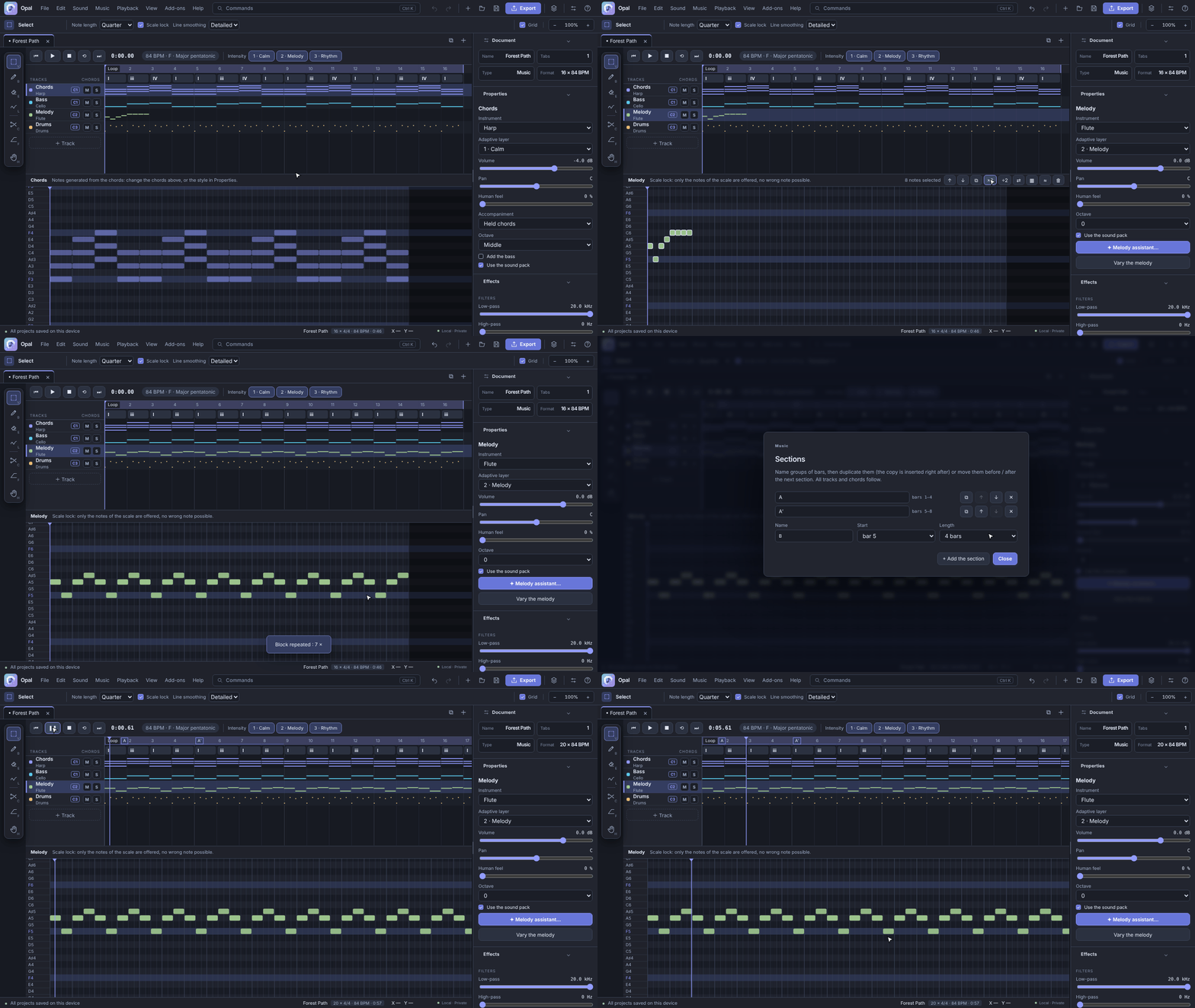
Intro, loop and ending.
Intro, loop and ending.

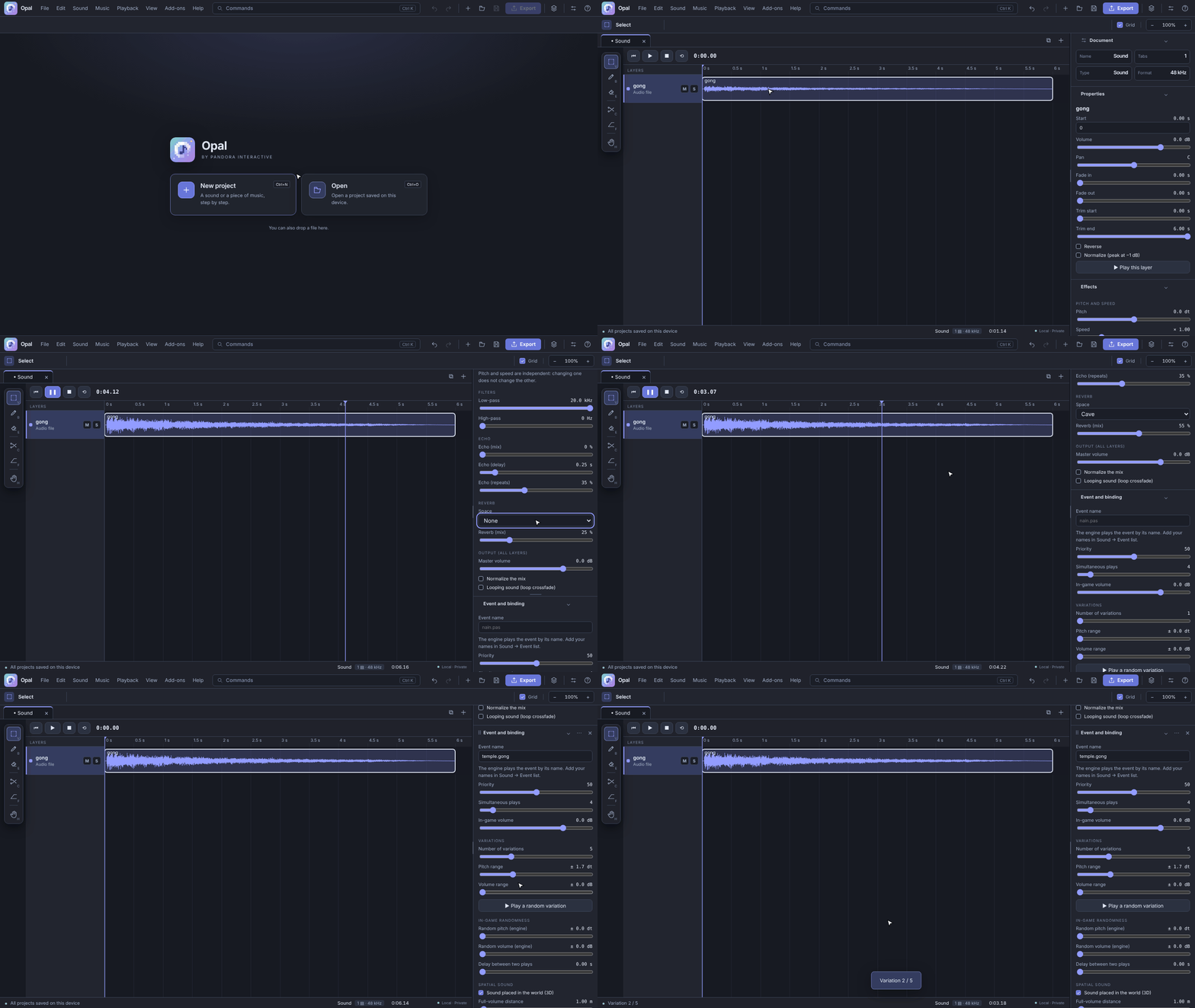
Sound design on the layered timeline.

Sound design on the layered timeline.

  • Two workspaces Sound (layered waveform timeline) and Music (tracks over a chord row, scale-locked piano roll).
  • Guided new project a sound, or a piece of music started from a moment of the game, with chords, melody, bass, drums and three layers already written.
  • Adaptive music up to 6 layers, perfect loops, intro, loop and ending.
  • Writing Melody assistant, Melody line tool, human feel, virtual piano, sections, key and tempo changes.
  • Sound design automatic clean-up, variations, filters, echo, reverbs, sound effect generator.
  • For the game events with variations, priority, cooldown and 3D settings; three example pieces.
Project
.opal, sealed, opened by double-click
Engine
.sopal (sounds) and .mopal (music), sealed
Exports
WAV, Ogg, separate layers
Imports
audio files, microphone, MIDI files, USB MIDI keyboards
Sound pack
optional, 36 MB: 463 CC0 samples, 27 recorded instruments and 16 drum sounds; 48 synthesized instruments without it
Add-ons
.opaladdon, including Freesound (CC0 sounds with their credits)
Install OpalWith Hearth, Opal installs and updates on its own.

Portable version Release notes

install

Two ways to install

Every app is free and downloads without an account. Hearth is recommended, but each app also installs on its own.

Direct downloadWith Hearth recommended
What you downloadApp-Setup.exe or App-Portable.exe, from the app’s Releases pageHearth-Setup.exe once, then every app from the Apps page
Where the app goesYour account only. Portable: anywhere, no installThe whole PC, in C:\Program Files
Windows promptsThe usual installer windowNone for the apps. Windows asks for an administrator once, when Hearth is installed
UpdatesEach app checks GitHub and offers its own updateHearth downloads them in the background and installs them when the app is closed
ChecksA SHA256SUMS.txt file published with every releaseEvery file checked before it runs; a file without a checksum is refused
Extras—Recent projects of the whole suite, add-ons and packs in one click, what’s new, shared language and theme

releases

Release notes and files

Each app publishes its releases on its own GitHub repository, with notes and SHA-256 checksums. The source code stays private.

System
Windows 10 or 11, 64-bit. Nothing else to install.
Languages
English, French, Spanish, German, Portuguese and Italian
Themes
Graphite, Midnight, Forest, Amethyst, Ember and Paper
Price
free, no account

More tools: the add-ons

The studio publishes official add-ons for Pixora, Jade and Opal, sorted by app. Hearth installs them in one click.

questions

Frequently asked questions

Do I need Hearth?

No. Each app has its own installer and portable version. Hearth is recommended: it installs, updates and launches all three from one window, and shares the language and theme between them.

Windows says “Windows protected your PC”. What should I do?

This SmartScreen message can show up the first time: the apps don’t have a commercial signature yet. Click More info, then Run anyway, after checking the file’s checksum if you like.

How do I check a downloaded file?

Every release publishes a SHA256SUMS.txt file on its Releases page. Compare it with the checksum of the file you downloaded, for example with Get-FileHash in PowerShell. Hearth does this check on its own.

I already use Pixora. What changes?

Pixora is still published in the same place, on its Pixora-Releases repository. You can keep installing it on its own, or use Hearth to keep it up to date with the rest of the suite.

If I uninstall an app, do I lose my projects?

No. Uninstalling from Hearth keeps your projects, add-ons and settings.

What about Mac or Linux?

The apps are made for 64-bit Windows 10 and 11. No other version is available for now.

contact

A collaboration, a question?

Write to us directly. Every message gets a personal reply, in English or French.

  • Partnerships and collaborations
  • Press and content creators
  • Questions and feedback on our software
contact@pandora-interactive.fr

Journalist or creator? See the press kit